Inventory Managementfeatures
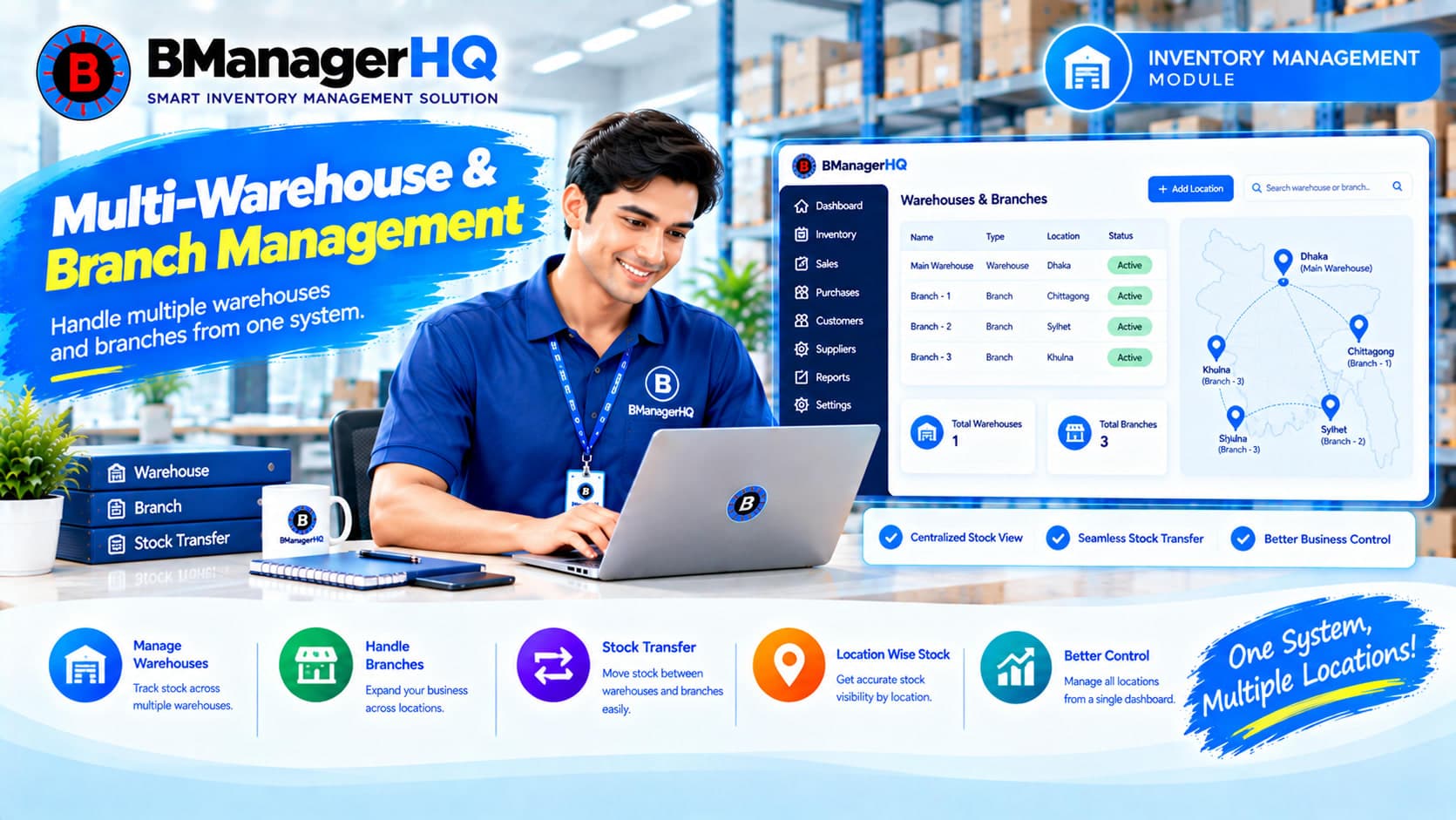
Multi-Warehouse & Branch Inventory Management Software
Content type
Features
Topic
Content type
Features
Topic
Inventory Management
Published
Keywords
Manage Inventory Across Multiple Warehouses, Shops & Branches
Managing inventory becomes more complex when your business operates from multiple locations. Products may be stored in different warehouses, sold through different shops, or managed by different branches. Without a centralized inventory structure, keeping track of stock across these locations can become difficult.
BManagerHQ provides Multi-Warehouse & Branch Inventory Management to help businesses organize inventory across multiple warehouses, shops, and branches within one system. Manage your products and inventory locations while connecting them with stock transfers, sales, purchases, bin-level inventory, physical stock counts, and inventory reports.
Start your 30-day free trial — no payment required.
Multi-Warehouse Inventory Management allows a business to organize inventory across more than one physical location. Instead of maintaining separate inventory records for each location, BManagerHQ provides a centralized structure for managing your warehouses, shops, and branches.
For example:
Business
│
├── Main Warehouse
│
├── Dhaka Branch
│
├── Chattogram Branch
│
└── Sylhet Shop
Each location can be part of your broader inventory management workflow.
BManagerHQ supports multiple inventory locations so businesses can structure their operations according to their physical business setup.
You can manage locations such as:
This provides a centralized foundation for managing inventory across your business.
Role-Based Access for Multi-Location Inventory
Managing inventory across multiple warehouses, shops, and branches often involves multiple employees with different responsibilities. BManagerHQ provides Role-Based Access to help organizations structure employee permissions across their inventory operations.
Different employees may be responsible for:
Organizations can assign appropriate permissions according to each employee's responsibilities.
Role-Based Access works alongside BManagerHQ's multi-location inventory structure.
For example:
Organization
│
├── Main Warehouse
│   └── Warehouse Operations
│
├── Dhaka Branch
│   └── Branch Operations
│
├── Chattogram Branch
│   └── Branch Operations
│
└── Shop
    └── Shop Operations
Employee access to relevant business functions can be controlled through the organization's permission structure. This helps businesses maintain a more organized approach when multiple employees manage inventory across different locations.
Explore BManagerHQ Inventory Management
When inventory is distributed across multiple locations, businesses need a clear way to organize where stock belongs. BManagerHQ allows your inventory locations to be managed within the same system.
A simplified structure can look like:
Business
    │
    ├── Warehouse 01
    │
    ├── Warehouse 02
    │
    ├── Shop 01
    │
    ├── Branch 01
    │
    └── Branch 02
Products can then be associated with the relevant inventory operations at those locations.
Inventory often needs to move from one location to another. BManagerHQ provides Stock Transfer functionality for transferring inventory between supported warehouses, shops, branches, and bins.
For example:
Main Warehouse → Dhaka Branch
or:
Dhaka Branch → Sylhet Shop
or:
Warehouse → Warehouse
This helps businesses maintain organized stock movement between locations.
Explore Stock Transfer
For businesses that need detailed warehouse organization, multi-warehouse management can work alongside Bin-Level Inventory Management.
For example:
Main Warehouse
│
├── Rack A
│   ├── Bin A-01
│   ├── Bin A-02
│   └── Bin A-03
│
└── Rack B
    ├── Bin B-01
    └── Bin B-02
This provides two levels of inventory organization:
Business Location → Storage Location
A warehouse can therefore be managed at a broader location level while products can also be organized within supported bin locations.
Explore Bin-Level Inventory Management
Products are the foundation of your inventory. BManagerHQ Product Management works with the multi-location inventory structure, allowing businesses to manage products as part of their warehouse, shop, and branch operations.
A typical workflow can be:
Product → Location → Stock → Transfer → Sale
This keeps product and location management connected.
Explore Product Management
Purchased products become part of your inventory. BManagerHQ connects purchase operations with inventory management, allowing businesses to incorporate purchased products into their inventory workflow.
For example:
Supplier → Purchase → Inventory Location
When inventory is distributed across multiple locations, stock can subsequently be transferred to another warehouse, shop, branch, or bin where applicable.
Explore Purchase & Supplier Credit Tracking
Businesses operating multiple shops or branches may sell products from different locations. BManagerHQ connects sales with product and inventory records, allowing businesses to manage sales as part of their broader multi-location inventory workflow.
For example:
Main Warehouse
      ↓
Stock Transfer
      ↓
Dhaka Branch
      ↓
     Sale
      ↓
   Customer
This provides a connected flow from inventory location to sales.
Explore Sales Tracking
Physical stock verification becomes particularly useful when products are distributed across multiple locations. ManagerHQ supports Products Physical Count, allowing businesses to perform physical stock counting as part of their inventory management process. Businesses can use physical counts as part of their regular inventory verification workflow across their applicable locations.
Explore Physical Stock Count
Inventory levels may differ between locations. BManagerHQ provides Low Stock Alerts to help identify products that reach their configured low-stock condition. This can help businesses become aware of inventory levels that may require attention.
The workflow can be:
Location → Product → Stock Level → Low Stock Condition → Alert
Explore Low Stock Alerts
BManagerHQ provides Daily Sales & Stock Reports to help businesses review their sales and stock information. For businesses operating multiple locations, these reports can support regular monitoring of inventory and sales operations.
Reports work alongside the product, stock, purchasing, and sales records maintained within the system.
Explore Sales & Stock Reports
BManagerHQ connects multiple inventory locations with the wider inventory lifecycle.
Organize your warehouses, shops, and branches.
Maintain products within your inventory system.
Record purchases and add products to the relevant inventory operations.
Move products between supported warehouses, shops, branches, and bins.
Record sales from the relevant inventory operations.
Review stock information and applicable low-stock alerts.
Verify physical inventory when required.
Monitor sales and stock information through available reports.
                       BUSINESS
                          │
             ┌────────────┼────────────┐
             ↓            ↓            ↓
         WAREHOUSE      BRANCH        SHOP
             │            │            │
             └────────────┼────────────┘
                          ↓
                   STOCK TRANSFER
                          │
             ┌────────────┼────────────┐
             ↓            ↓            ↓
           BIN          STOCK         SALES
                          │            │
                          ↓            ↓
                    PHYSICAL COUNT  CUSTOMER
                          │
                          ↓
                       REPORTS
This creates a structured framework for managing inventory across multiple business locations.
Businesses may maintain more than one warehouse for different purposes.
For example:
Main Warehouse
       ↓
   Stock Transfer
       ↓
Regional Warehouse
       ↓
   Stock Transfer
       ↓
Branch / Shop
BManagerHQ's Stock Transfer functionality allows businesses to manage applicable inventory movement between supported locations.
Businesses with multiple branches can organize their inventory locations within BManagerHQ.
For example:
Main Warehouse
↓
Dhaka Branch
↓
Chattogram Branch
↓
Sylhet Branch
This structure can work with stock transfers and sales operations to support multi-branch inventory management.
Businesses operating multiple shops can also structure their inventory locations within BManagerHQ. Each shop can be part of the business's overall inventory structure, allowing inventory operations to be organized by location. This is particularly useful when products need to be distributed from a warehouse to individual shops.
Centralized Location Management
Manage warehouses, shops, and branches within one inventory system.
Multi-Location Inventory Structure
Organize inventory across multiple business locations.
Stock Transfer
Move inventory between supported locations.
Bin-Level Integration
Combine broader location management with detailed bin-level inventory where applicable.
Product Integration
Connect products with inventory operations across locations.
Sales Integration
Connect sales with the relevant product and inventory workflow.
Inventory Monitoring
Use stock reports, low-stock alerts, and physical stock counts as part of inventory management.
BManagerHQ Multi-Warehouse & Branch Management can be useful for businesses operating from multiple locations, including:
Wholesale Businesses
Manage products across warehouses and distribution locations.
Organize inventory across warehouses and branches.
Retail Businesses
Manage products across multiple shops or retail locations.
Spare Parts Businesses
Organize product inventory across warehouses, branches, and storage locations.
Growing Businesses
Create a centralized inventory structure as additional warehouses, shops, or branches are added.
Managing multiple locations through separate spreadsheets or disconnected systems can make inventory operations harder to coordinate.
BManagerHQ provides a centralized inventory structure for:
This allows businesses to manage their inventory locations as part of one connected inventory management system.
These two features serve different inventory-management needs.
Focuses on business locations.
Example:
Main Warehouse → Dhaka Branch → Sylhet Shop
Focuses on storage locations within an inventory location.
Example:
Main Warehouse → Rack A → Bin A-01
Using both provides a more detailed inventory structure where your business requires it.
Bring warehouses, shops, branches, products, stock transfers, and inventory operations together with BManagerHQ.
Try BManagerHQ with a 30-day free trial — no payment required. Start managing your multi-location inventory with BManagerHQ.
Multi-Warehouse Inventory Management Software helps businesses organize and manage inventory across multiple warehouses and other business locations.
Yes. BManagerHQ supports Multiple Warehouse, Shop & Branch Management.
Yes. BManagerHQ allows businesses to organize multiple branches within their inventory management structure.
Yes. Shops can be included as inventory locations within BManagerHQ.
Yes. BManagerHQ supports stock transfers between supported warehouses.
Yes. Stock can be transferred between supported branches and other inventory locations.
Yes. BManagerHQ supports stock transfers between supported warehouses, shops, branches, and bins.
Yes. BManagerHQ provides Bin-Level Inventory Management for detailed storage-location management.
Yes. Product Management works with the multi-location inventory structure.
Yes. BManagerHQ provides Products Physical Count functionality for physical inventory verification.
Yes. BManagerHQ provides Low Stock Alerts for products that reach their configured low-stock condition.
Yes. BManagerHQ provides Daily Sales & Stock Reports.
Yes. Multi-Warehouse & Branch Management is one of the core features of the BManagerHQ Inventory Management module.
Yes. BManagerHQ is designed for businesses in Bangladesh that need to manage inventory across multiple warehouses, shops, or branches.
BManagerHQ is a cloud-based POS software for managing sales, billing, products, customers, suppliers, inventory, multiple locations, cashier operations, promotions, and reports.
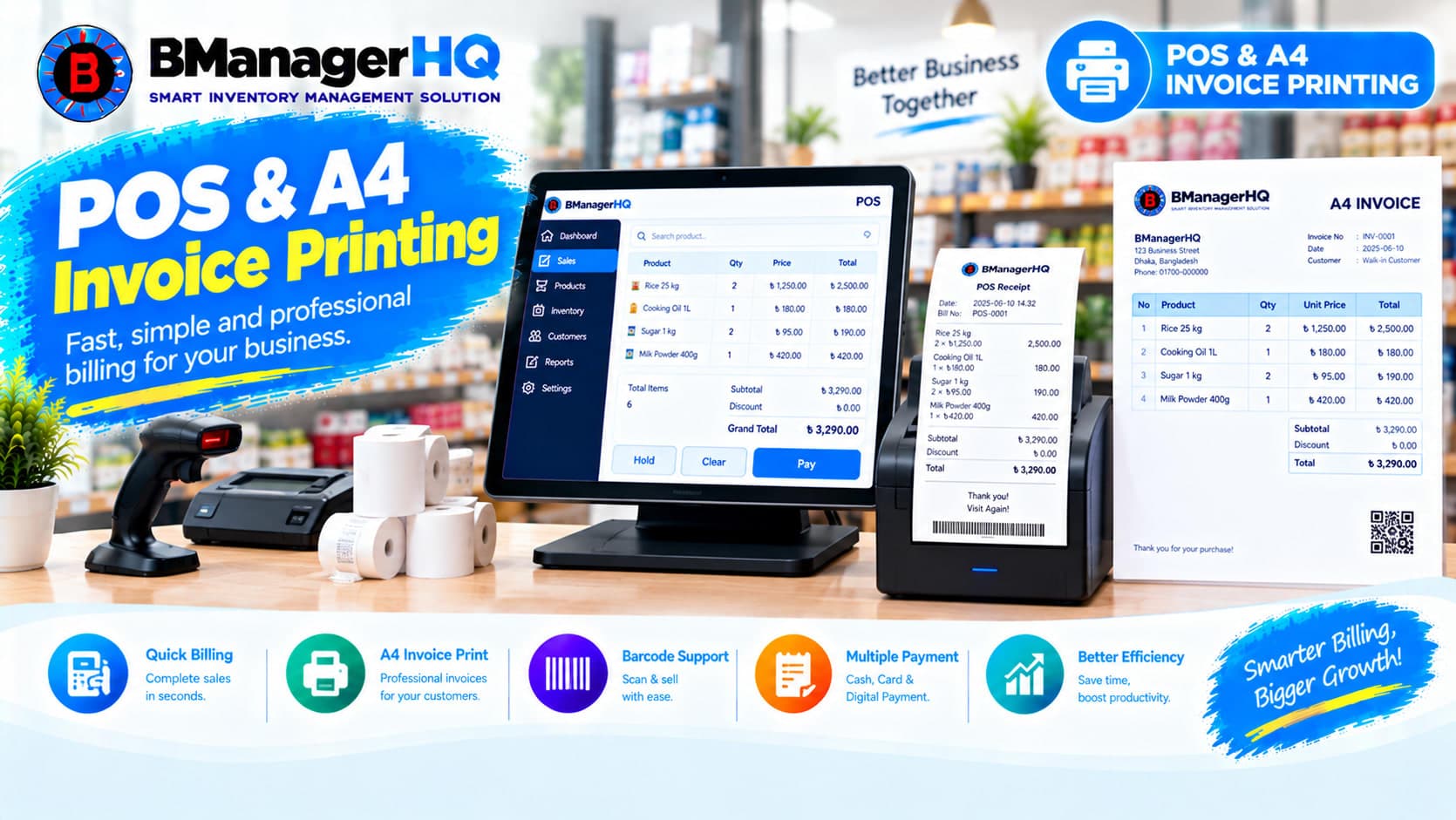
Manage POS sales and print professional A4 invoices with BManagerHQ POS & A4 Invoice Printing Software for retail, wholesale, and other businesses.
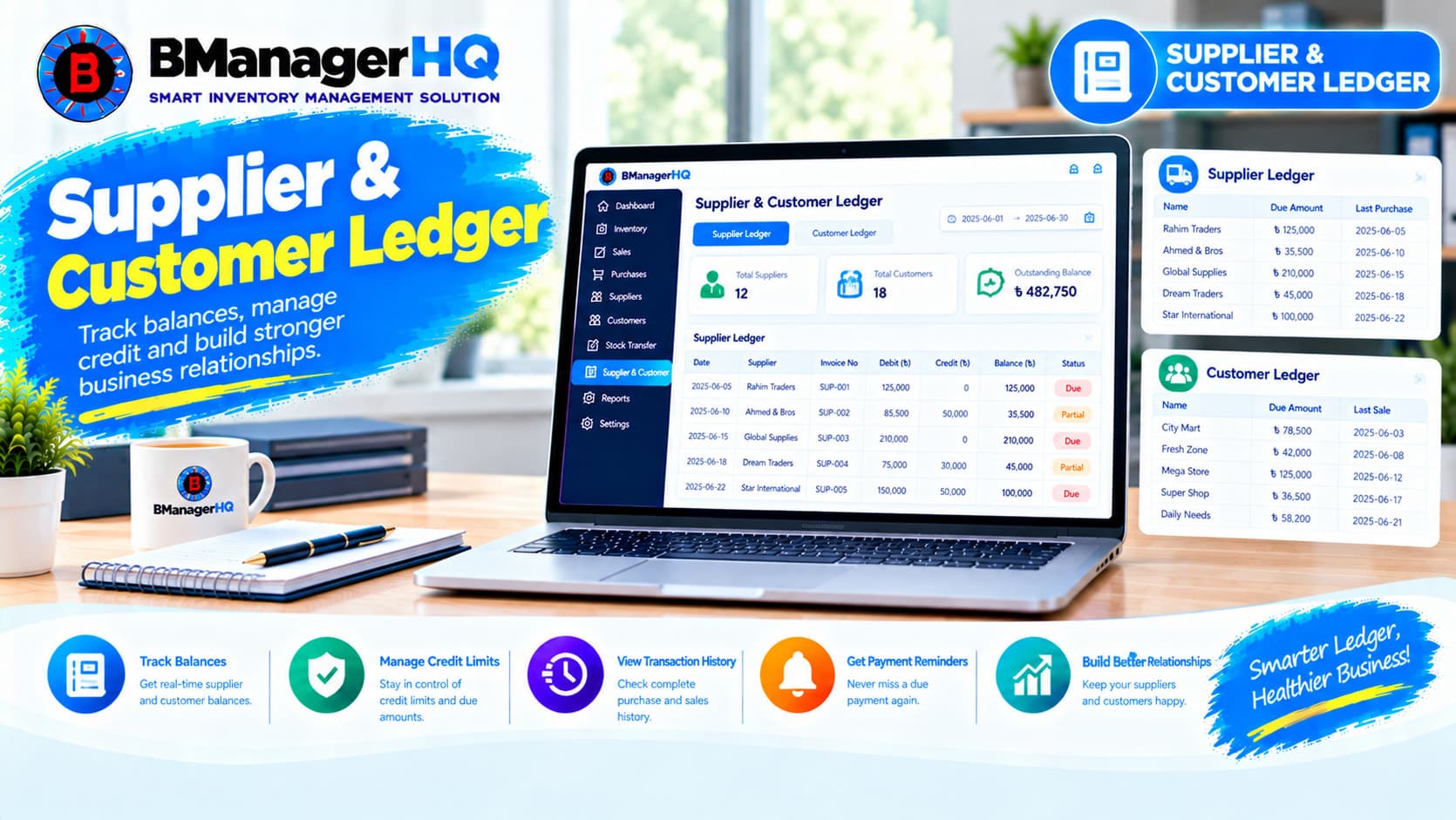
Manage supplier and customer ledgers, transaction history, credit balances, payments, purchases, and sales with BManagerHQ Inventory Management Software.

Create professional quotations, manage quotation items, track customer quotations and print A4 quotations with BManagerHQ Inventory Management Software for businesses in Bangladesh.