Inventory Managementfeatures
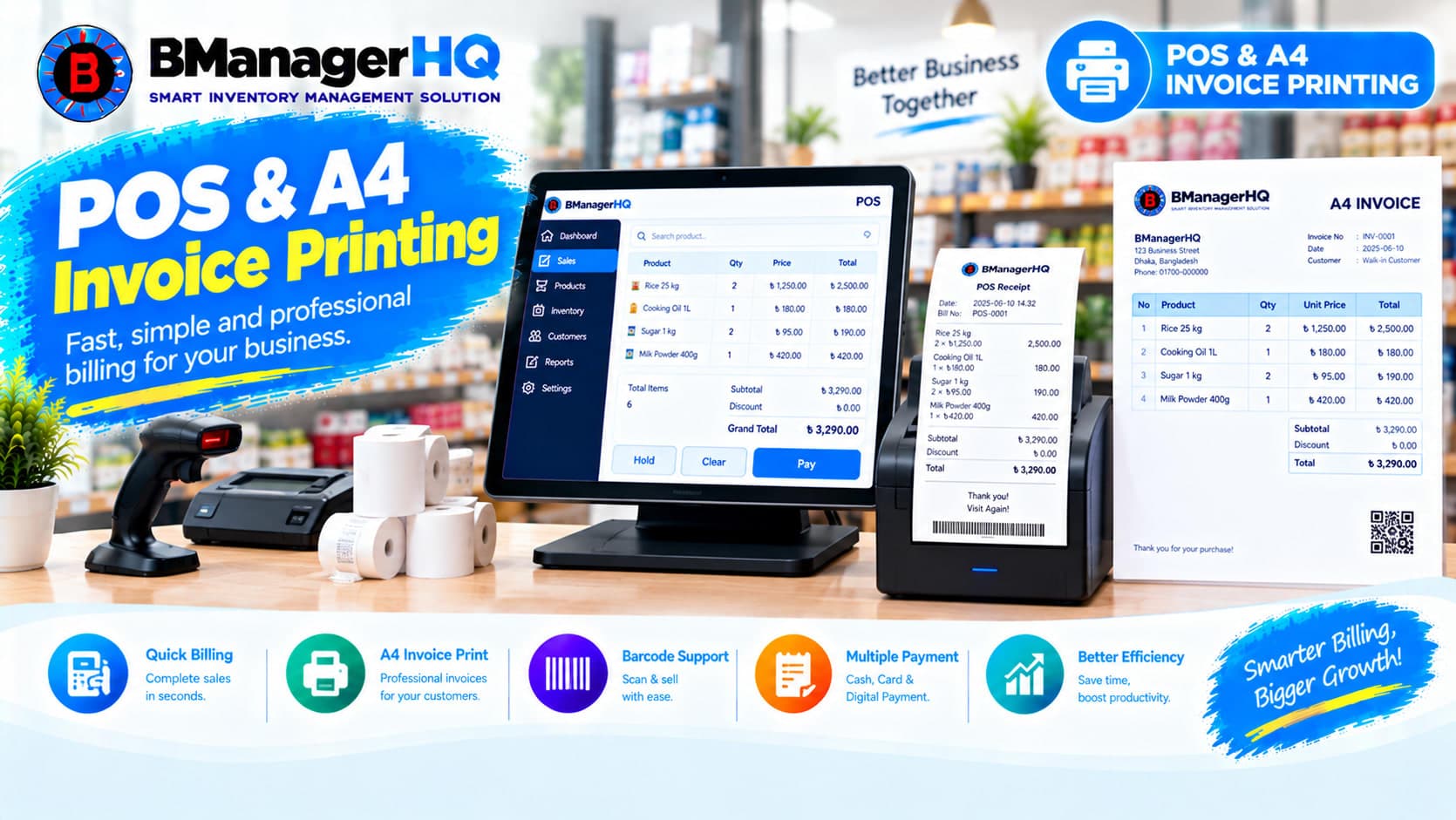
POS & A4 Invoice Printing Software in Inventory Management
Content type
Features
Content type
Features
Topic
Inventory Management
Published
Keywords
BManagerHQ POS & A4 Invoice Printing Software helps businesses manage point-of-sale transactions and create professional invoices for customers. Businesses can connect POS sales with products, inventory, customers, sales records, and invoice printing. This helps keep sales and inventory activities organized instead of maintaining separate POS and inventory records.
Whether you operate a retail shop, wholesale business, trading company, or multi-branch business, BManagerHQ provides a connected workflow for POS sales and A4 invoice printing.
Start your 30-day free trial — no payment required.
What Is POS & A4 Invoice Printing Software?
POS & A4 Invoice Printing Software is a business system that helps businesses process sales through a Point of Sale workflow and print sales invoices on A4 paper.
A POS transaction can involve:
BManagerHQ connects these activities with its inventory management system.
1. POS Sales Management
Process customer sales through a structured Point of Sale workflow. The POS system can work with product and inventory information so businesses can manage sales while keeping inventory records connected.
Explore Sales Tracking
2. Product-Based POS Sales
POS transactions are connected with the products maintained in the inventory system. This helps users select the required products and maintain sales records according to the products sold.
Explore Product Management
3. Quantity & Sales Information
A POS sale needs accurate product quantities and sales information.
Businesses can record:
This keeps the sales process organized.
4. Inventory Integration
POS sales are directly related to inventory. When products are sold, the corresponding inventory quantity needs to be reflected in the inventory management workflow.
BManagerHQ connects POS sales with inventory records, helping businesses maintain sales and stock information together.
5. A4 Invoice Printing
Businesses can print sales invoices using an A4 page format. A4 invoice printing is useful for businesses that need a standard printed invoice for customers, office records, or business documentation.
6. Professional Sales Invoice
BManagerHQ helps businesses create a structured sales invoice containing relevant transaction information.
An invoice can include information such as:
This provides customers with a clear printed sales document.
7. Customer Information
Businesses can connect POS sales with customer records. This is especially useful for businesses that maintain customer accounts or sell products on credit.
Explore Customer Management & Credit Limits
8. Customer Credit Support
Some businesses allow customers to purchase products on credit. When a POS sale involves customer credit, the sales transaction can work alongside customer credit management.
Explore Sales & Customer Credit Tracking
9. Sales Transaction Records
POS transactions become part of the business's sales records. This allows businesses to maintain an organized history of sales activity and review previous transactions.
10. Customer Payment Tracking
When customers make payments for purchases, payment information can be maintained alongside customer account records. This is useful for businesses that manage both cash and credit-based customer transactions.
Explore Supplier & Customer Payment Tracking
11. Product Stock Updates
POS sales affect product inventory.
For example:
Product Stock
      ↓
POS Sale
      ↓
Product Sold
      ↓
Inventory Quantity Changes
      ↓
Sales Record
      ↓
Invoice Printed
This keeps POS activity connected with inventory management.
12. Role-Based Access
Different employees may have different responsibilities at a POS. BManagerHQ's Role-Based Access helps businesses control user access according to employee roles.
This can help businesses manage who can access or perform specific inventory and sales activities.
Explore Role-Based Access
A POS system is most useful when it works together with inventory.
Instead of:
POS System
Separate Inventory System
BManagerHQ connects POS and inventory management into one workflow.
Product Management
       ↓
Inventory Stock
       ↓
POS Sale
       ↓
Sales Transaction
       ↓
Inventory Quantity Changes
       ↓
Customer Account
       ↓
A4 Invoice
This helps businesses keep sales and inventory information connected.
A typical invoice workflow can look like:
Select Customer
      ↓
Select Products
      ↓
Enter Quantity
      ↓
Create POS Sale
      ↓
Sales Transaction Recorded
      ↓
Inventory Updated
      ↓
Invoice Generated
      ↓
A4 Invoice Printed
This provides a structured process from sales entry to printed invoice.
Retail businesses often need to process multiple customer transactions throughout the day.
A POS system can help employees manage:
BManagerHQ connects these activities with inventory management, helping retailers maintain organized sales and stock records.
Wholesale businesses may sell multiple products in larger quantities. BManagerHQ POS can work with product and inventory records to help businesses maintain organized sales transactions.
A4 invoice printing can also provide a standard printed document for wholesale customers.
Trading businesses need to maintain records of products sold to customers while keeping inventory quantities organized.
BManagerHQ connects POS sales with:
This creates a connected sales workflow.
Businesses operating multiple shops or branches need to manage sales and inventory across different locations. BManagerHQ's multi-warehouse and branch management functionality supports location-based inventory operations.
Explore Multi-Warehouse & Branch Management
A POS transaction does not always mean the customer pays the entire amount immediately.
For businesses that support customer credit, the workflow can be:
POS Sale
    ↓
Customer Selected
    ↓
Sale Amount
    ↓
Credit Transaction
    ↓
Customer Balance
    ↓
Payment
    ↓
Balance Updated
This connects POS sales with customer account management.
Every product sold through POS affects inventory.
For example:
Product Stock: 50 units
↓
POS Sale: 5 units
↓
Remaining Stock: 45 units
The sales transaction and inventory records remain connected within the BManagerHQ workflow.
POS transactions can contribute to the business's sales records. Businesses can review sales and stock information alongside POS activity to understand their inventory operations.
Explore Sales & Stock Reports
Frequent POS sales can cause product quantities to decrease.
For example:
Product Stock
30 Units
     ↓
POS Sales
     ↓
Stock Decreases
     ↓
Low Stock Condition
     ↓
Product Requires Attention
BManagerHQ's Low Stock Alerts feature helps businesses identify products that reach low-stock conditions.
Explore Low Stock Alerts
Product-level inventory history can also be reviewed alongside POS sales. When a product is sold through POS, the related inventory activity becomes part of the broader product and sales records.
Explore Product Ledger
A typical A4 invoice can contain structured sales information such as:
--------------------------------------------------
                    BUSINESS NAME
                 Business Information
--------------------------------------------------

Invoice No: INV-000123
Date: DD/MM/YYYY

Customer:
Customer Name
Customer Information

--------------------------------------------------
Product          Qty       Price        Total
--------------------------------------------------
Product A         2        ৳500         ৳1,000
Product B         1        ৳750           ৳750
--------------------------------------------------

                         Total: ৳1,750

Payment / Balance Information

--------------------------------------------------
              Thank You
--------------------------------------------------
The exact invoice layout can be configured according to the business's invoice requirements.
Retail Shops
Process customer sales and print invoices from POS transactions.
Super Shops
Manage product sales and inventory through a structured POS workflow.
Process product sales and provide printed A4 invoices to customers.
Connect sales transactions with products and inventory.
Distribution Businesses
Maintain sales records and invoice documentation.
Manage POS sales as part of a broader multi-location inventory operation.
Faster Sales Processing
A structured POS workflow helps employees process customer sales more efficiently.
Connected Inventory
POS sales remain connected with product and stock records.
Professional A4 Invoices
Print structured sales invoices using standard A4 paper.
Better Sales Records
Maintain POS transactions as part of the business's sales history.
Customer Account Integration
Connect sales with customer information and credit records.
Maintain customer payment information alongside sales and account records.
Better Product Tracking
Connect POS activity with product inventory and product history.
Multi-Location Support
Use POS and inventory workflows across businesses with multiple locations.
Reduced Duplicate Data Entry
Keeping POS and inventory information connected can reduce the need to maintain separate sales and stock records.
Businesses need more than just a billing screen. A POS system should work together with products, inventory, customers, sales, payments, and invoices.
BManagerHQ connects these activities within its inventory management system.
With POS & A4 Invoice Printing, businesses can:
This provides businesses with a connected workflow from product selection to invoice printing.
Product Management
       ↓
Stock Available
       ↓
Customer Arrives
       ↓
POS Sales Entry
       ↓
Products + Quantity
       ↓
Customer / Payment Information
       ↓
Sales Transaction
       ↓
Inventory Updated
       ↓
Customer Account Updated
       ↓
A4 Invoice
       ↓
Invoice Printed
       ↓
Sales & Stock Records
Connect your POS sales, products, inventory, customers, payments, and invoices in one centralized system. With BManagerHQ POS & A4 Invoice Printing Software, businesses can process sales, maintain inventory records, manage customer transactions, and print professional A4 invoices as part of one connected workflow.
Explore BManagerHQ Inventory Management
POS & A4 Invoice Printing Software helps businesses process sales through a Point of Sale system and print sales invoices on A4 paper.
Yes. BManagerHQ connects POS sales with product and inventory records, helping businesses maintain sales and stock information together.
Yes. BManagerHQ includes A4 invoice printing functionality for sales transactions.
POS sales are connected with inventory management so that product sales and inventory quantities can be maintained as part of the same workflow.
Yes. POS sales can work with customer records, which is particularly useful for businesses that maintain customer accounts.
BManagerHQ supports customer credit management, allowing businesses that offer credit sales to maintain customer credit and account information.
Yes. Supplier & Customer Payment Tracking can be used to maintain customer payment information alongside customer accounts.
Yes. BManagerHQ supports multi-warehouse and branch inventory management, making it suitable for businesses operating across multiple locations.
Yes. Wholesale businesses can use A4 invoices as printed sales documents for their customers.
Yes. POS sales are connected with product and inventory records, allowing businesses to review product-related sales and stock activity.
Yes. BManagerHQ is designed as an inventory and business management solution for businesses in Bangladesh, including retail, wholesale, trading, distribution, and multi-branch businesses.
BManagerHQ is a cloud-based POS software for managing sales, billing, products, customers, suppliers, inventory, multiple locations, cashier operations, promotions, and reports.
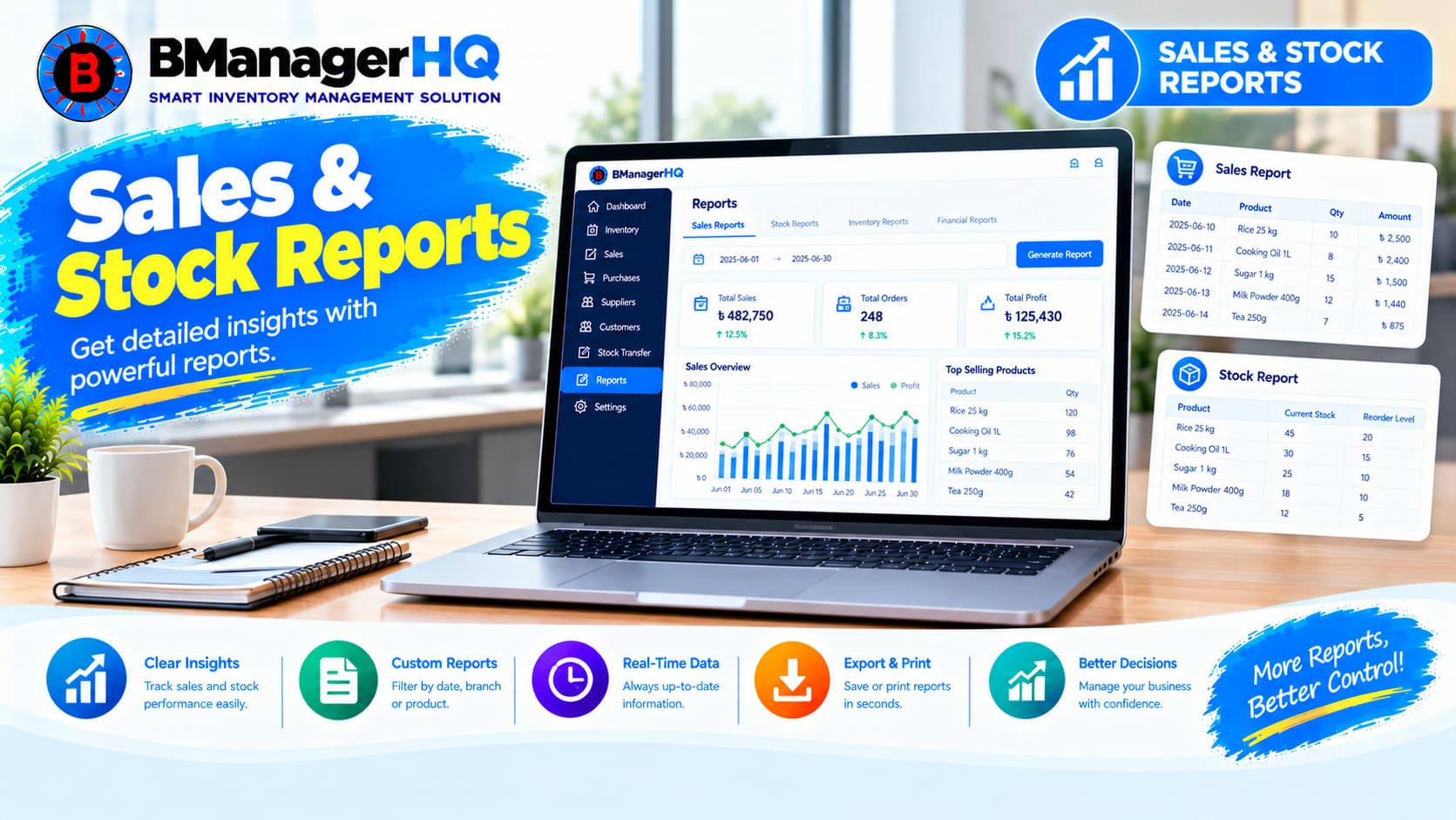
Track and review sales, stock, product, and inventory information with BManagerHQ Sales & Stock Reports Software for businesses in Bangladesh.
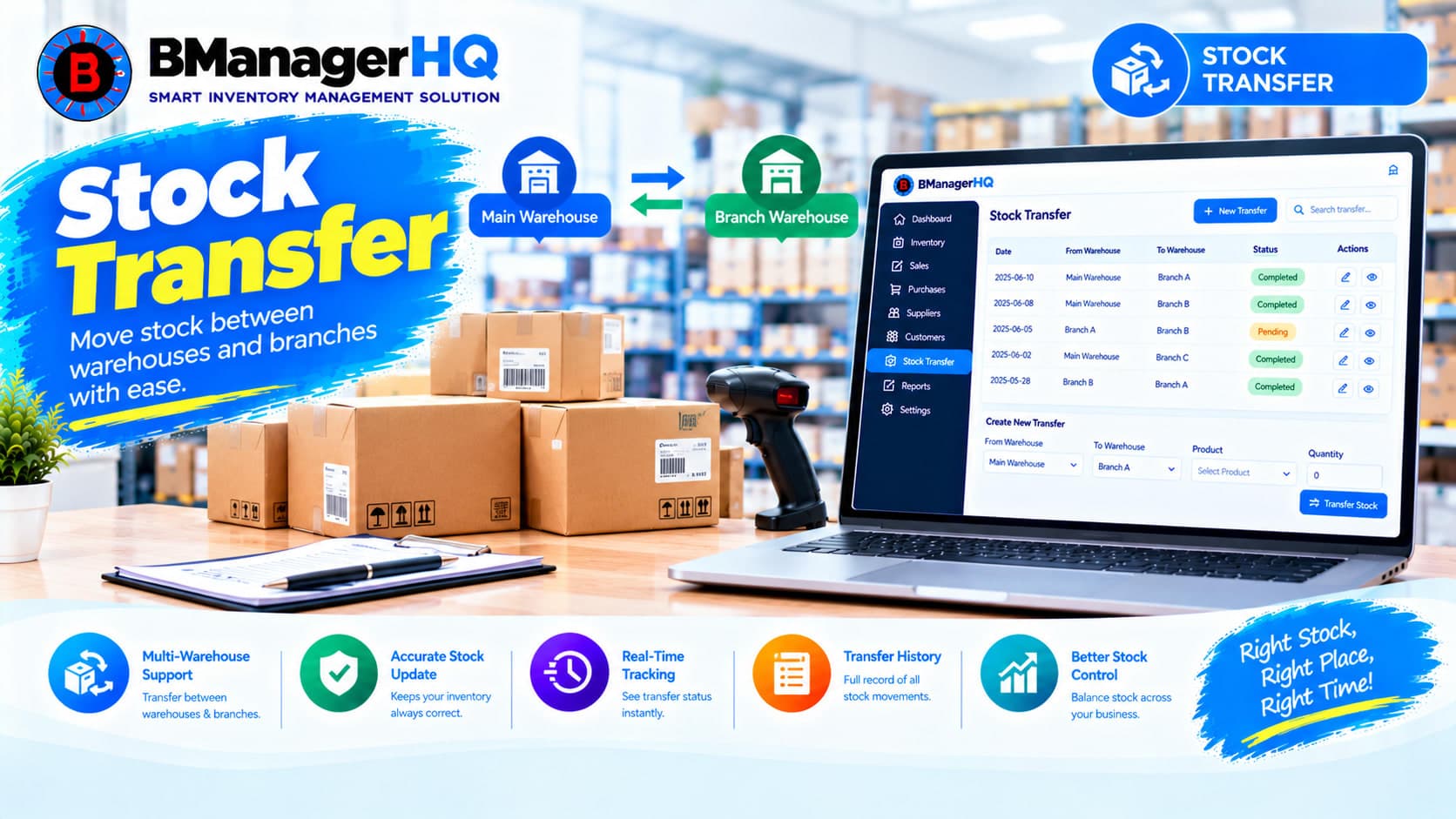
Transfer stock between warehouses, branches, shops and inventory locations with BManagerHQ Stock Transfer Software for businesses in Bangladesh.
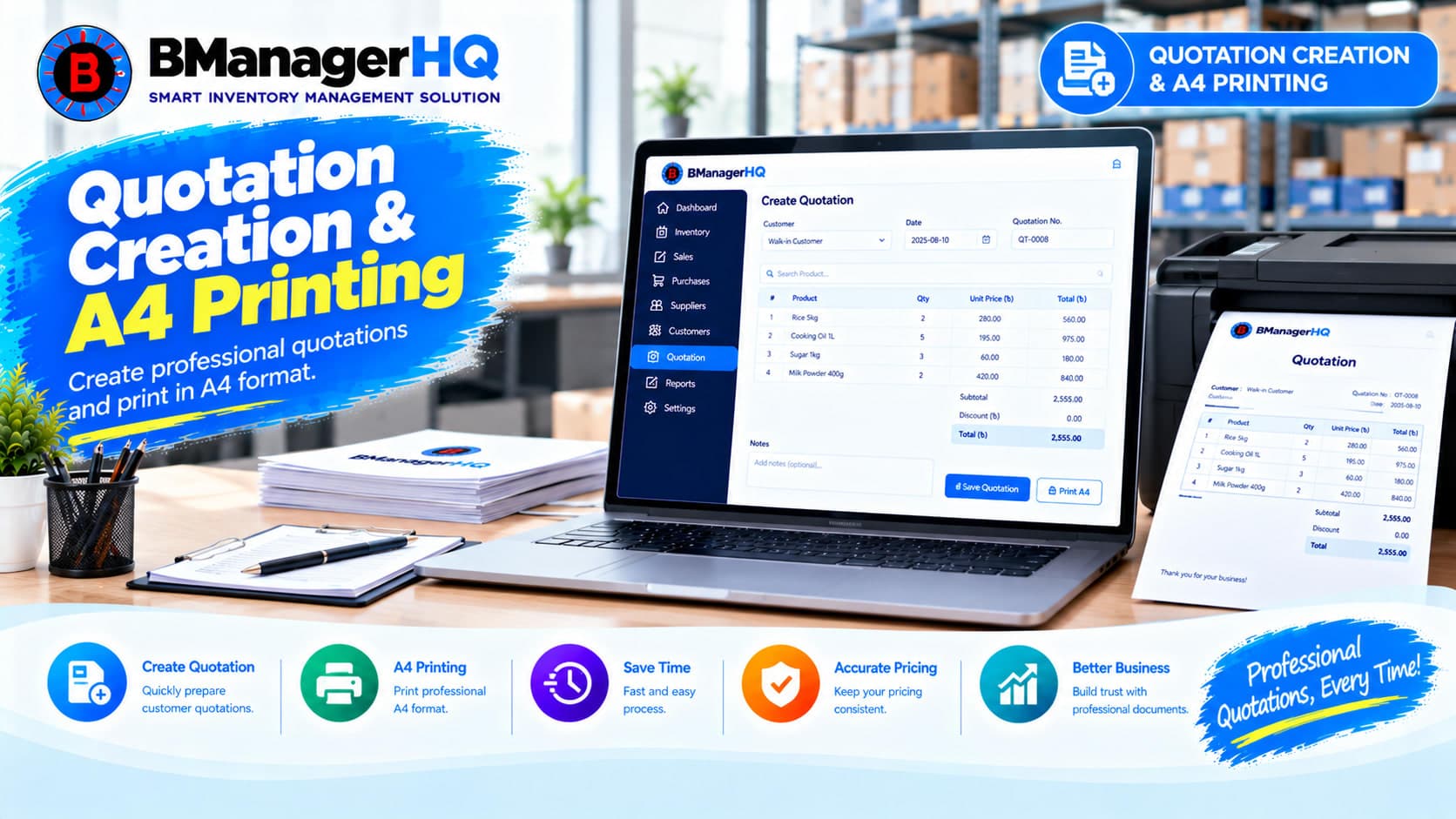
Create professional quotations, manage quotation items, track customer quotations and print A4 quotations with BManagerHQ Inventory Management Software for businesses in Bangladesh.