Inventory Managementfeatures
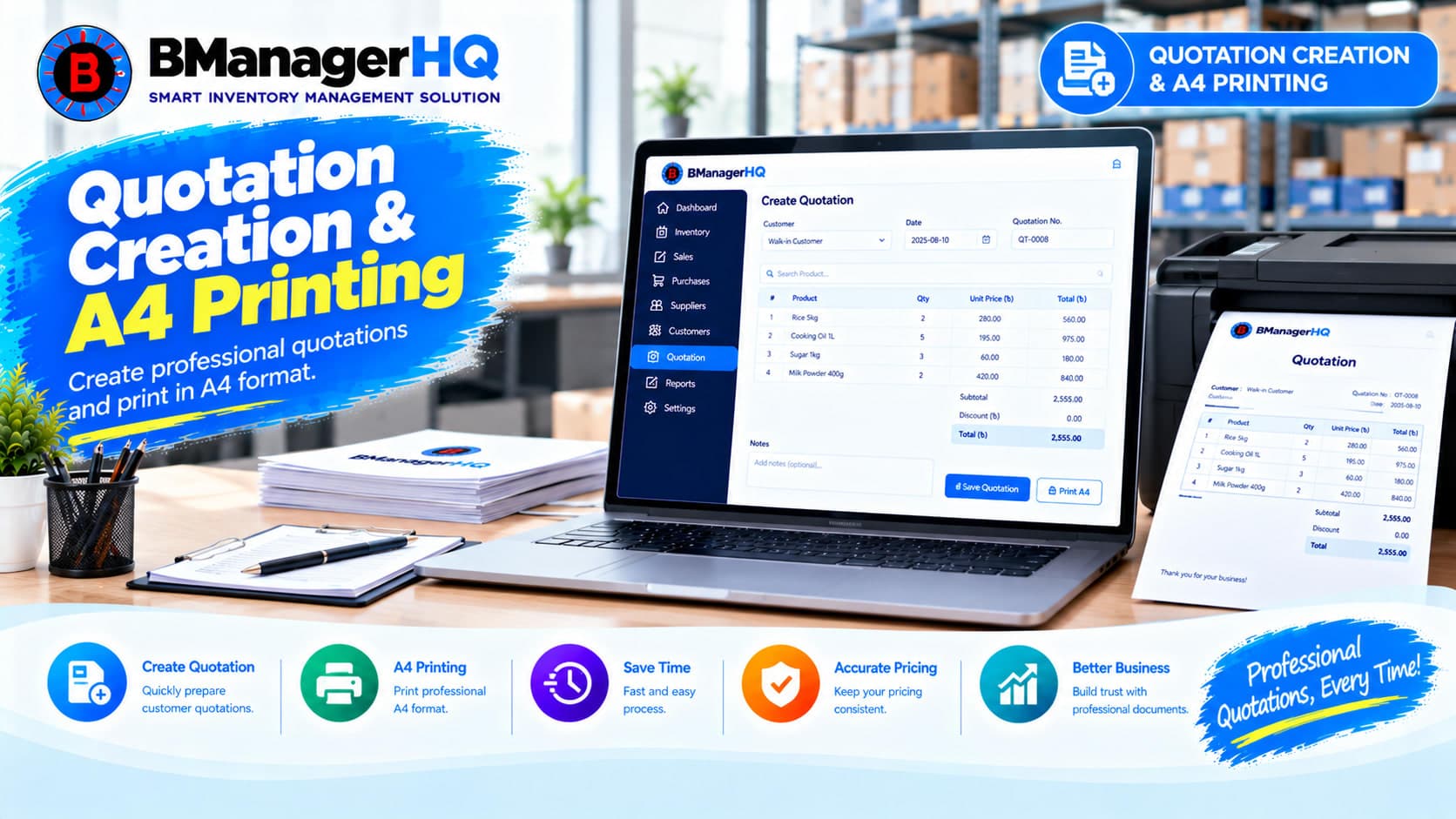
Quotation Creation & A4 Printing Software for Inventory Management
Content type
Features
Content type
Features
Topic
Inventory Management
Published
Keywords
Create, Manage & Print Professional Quotations in One Place
Creating quotations is an important part of sales and customer management. Businesses often need to prepare quotations with customer information, products, quantities, prices, discounts, totals, and other transaction details before a sale is completed.
BManagerHQ provides Quotation Creation & A4 Printing Software that helps businesses create quotations and connect quotation activity with customers, products, sales, and inventory operations.
Start your 30-day free trial — no payment required.
What Is Quotation Creation Software?
Quotation Creation Software helps businesses prepare, manage, and print quotations for customers from a centralized system. With BManagerHQ, quotation management works as part of the wider inventory and sales workflow:
Customer → Quotation → Products → Quotation Total → Sale
This helps businesses keep quotation information connected with their customer and product records.
Key Quotation Management Features
Quotation Creation
Create quotations for customers using products available in your inventory system.
Customer Selection
Connect quotations with customer records.
Product Selection
Add products and relevant quantities to quotations.
Quantity & Pricing
Maintain quotation quantities and applicable product prices.
Calculate the quotation value based on the products and quantities included.
A4 Quotation Printing
Print quotations using an A4 page format for business documentation.
Quotation Records
Maintain quotation information within the inventory management system.
Customer & Sales Integration
Connect quotations with customer and sales operations.
Product & Inventory Integration
Use products managed within the inventory system when creating quotations.
Role-Based Access
Control employee access to quotation, customer, sales, and inventory operations according to assigned permissions.
Businesses may create many quotations for different customers and products. Managing quotations through separate documents or spreadsheets can make it difficult to keep customer, product, and quotation information connected. BManagerHQ keeps quotation creation within the Inventory Management system.
A simplified structure is:
Customer
   │
   └── Quotation
          │
          ├── Products
          │
          ├── Quantities
          │
          └── Quotation Total
This creates a structured quotation workflow.
A quotation is generally created for a specific customer and contains the products or items being offered. BManagerHQ allows businesses to connect quotations with customer records.
A typical workflow is:
Customer → Quotation → Products → Total
This helps businesses maintain quotation information together with customer-related operations.
Explore Customer Management & Credit Limits
Quotations often contain multiple products with different quantities and prices. BManagerHQ connects quotation creation with Product Management.
A typical quotation workflow can be:
Quotation
    ↓
Product
    ↓
Quantity
    ↓
Price
    ↓
Quotation Total
This allows businesses to prepare quotations using products managed within their inventory system.
Explore Product Management
A quotation may contain several products and quantities. BManagerHQ provides a structured quotation workflow where businesses can prepare quotation information based on the products included.
For example:
Product A × Quantity
Product B × Quantity
Product C × Quantity
        ↓
Quotation Total
This provides a structured way to prepare customer quotations before completing a sale.
Businesses may need printed quotations for customers, internal approval, documentation, or business communication. BManagerHQ supports A4 Quotation Printing, allowing quotation information to be prepared for A4 page-based business documents.
A typical process is:
Create Quotation → Review Quotation → A4 Print
This provides a standardized document format for quotation printing.
A quotation can contain important business information such as:
BManagerHQ brings these details together within the quotation workflow. This helps businesses maintain structured quotation records instead of preparing every quotation separately.
A quotation is often created before a customer completes a purchase.
A broader sales workflow can be:
Customer
   ↓
Quotation
   ↓
Customer Confirmation
   ↓
Sale
   ↓
Inventory
BManagerHQ allows quotation operations to work within the broader sales and inventory structure.
Explore Sales Tracking
Products used in quotations are part of the business inventory structure. BManagerHQ connects quotation creation with Product Management and inventory operations.
A typical workflow can be:
Customer
   ↓
Quotation
   ↓
Products
   ↓
Inventory
   ↓
Sale
This creates a connected quotation-to-sales workflow.
Businesses operating across multiple warehouses, shops, or branches may prepare quotations for customers from different locations. BManagerHQ supports Multi-Warehouse & Branch Management, allowing quotation and sales operations to work within the broader business inventory structure.
For example:
Customer
   ↓
Quotation
   ↓
Sales Operation
   ↓
Inventory Location
   ├── Main Warehouse
   ├── Dhaka Branch
   ├── Chattogram Branch
   └── Shop
Explore Multi-Warehouse & Branch Management
Quotation information may involve customers, products, prices, and sales-related business data. Different employees may have different responsibilities when preparing or managing quotations.
BManagerHQ provides Role-Based Access, allowing organizations to structure employee access according to assigned responsibilities.
For example, employees may be responsible for:
Employees can access relevant business functions according to the permissions assigned to them.
Role-Based Access works within the broader quotation workflow:
Customer → Quotation → Product → Sale → Inventory
This provides a structured approach when multiple employees are using the system.
Explore BManagerHQ Inventory Management
Select or maintain the customer for whom the quotation is being prepared.
Create a new quotation within BManagerHQ.
Select the products to be included in the quotation.
Specify the applicable quantity for each product.
Review the product prices and quotation information.
Review the resulting quotation total.
Check the quotation information before printing or using it for sales operations.
Print the quotation using the A4 quotation format.
When applicable, quotation activity can be followed by the sales process.
                       CUSTOMER
                          │
                          ↓
                      QUOTATION
                          │
              ┌───────────┴───────────┐
              ↓                       ↓
          PRODUCTS                QUANTITY
              │                       │
              └───────────┬───────────┘
                          ↓
                  QUOTATION TOTAL
                          │
                          ↓
                     A4 PRINT
                          │
                          ↓
                        SALE
                          │
                          ↓
                      INVENTORY
This connects quotation creation with customers, products, sales, A4 printing, and inventory operations.
Wholesale Businesses
Prepare product quotations for wholesale customers and connect quotations with sales operations.
Distribution Businesses
Create quotations for customers while working with products and inventory across business locations.
Prepare customer quotations for products before completing sales.
Spare Parts Businesses
Create quotations containing multiple spare parts and product quantities.
Multi-Location Businesses
Manage quotation and sales operations as part of a wider multi-warehouse and branch inventory structure.
Centralized Quotation Management
Keep quotation records within your inventory management system.
Faster Quotation Creation
Create quotations using existing customer and product information.
Customer Integration
Connect quotations with customer records.
Product Integration
Use products managed within your inventory system.
A4 Printing
Prepare quotations for A4 page-based printing.
Sales Integration
Connect quotations with the broader sales workflow.
Inventory Integration
Connect quoted products with Product Management and inventory operations.
Multi-Location Support
Support quotation and sales operations across business locations.
Role-Based Access
Structure employee access to quotation, customer, product, sales, and inventory functions according to assigned permissions.
Preparing quotations manually through disconnected documents can make it difficult to keep customer, product, quotation, and sales information organized.
BManagerHQ brings these operations together:
This creates a connected quotation management workflow.
Bring customers, products, quotations, pricing, A4 printing, sales, and inventory operations together in one inventory management system.
Try BManagerHQ with a 30-day free trial — no payment required. Start creating professional quotations and managing your inventory operations with BManagerHQ.
Quotation Creation Software helps businesses prepare, manage, and print quotations for customers using a centralized business system.
Yes. BManagerHQ provides Quotation Creation within its Inventory Management workflow.
Yes. Quotations can be prepared using products managed through Product Management.
Yes. Product quantities can be included as part of the quotation information.
Yes. BManagerHQ supports A4 quotation printing for business documentation.
Yes. Quotation creation works with Customer Management.
Yes. Quotations can work within the broader customer-to-sales workflow.
Yes. Quotation products work with the broader Product Management and Inventory Management structure.
Yes. BManagerHQ provides Role-Based Access for relevant quotation, customer, product, sales, and inventory functions.
Yes. Quotation and sales operations work within the broader multi-location inventory structure.
Yes. Quotation Creation & A4 Printing is one of the core features of the BManagerHQ Inventory Management module.
Yes. BManagerHQ is designed for inventory-focused businesses in Bangladesh, including wholesale, distribution, retail, and spare parts businesses.
BManagerHQ is a cloud-based POS software for managing sales, billing, products, customers, suppliers, inventory, multiple locations, cashier operations, promotions, and reports.
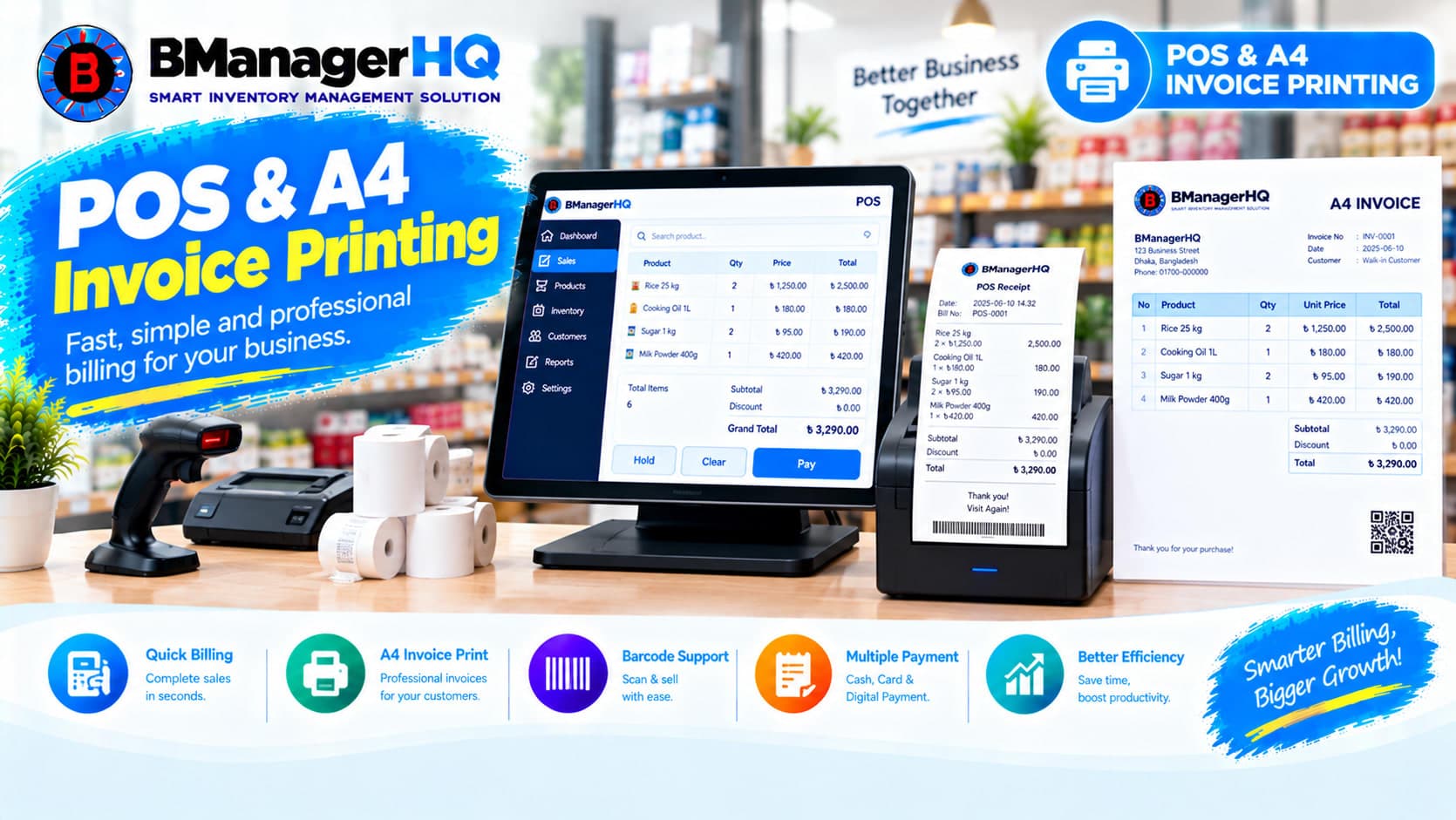
Manage POS sales and print professional A4 invoices with BManagerHQ POS & A4 Invoice Printing Software for retail, wholesale, and other businesses.

Track product stock history, inventory movements, purchases, sales, transfers, and quantity changes with BManagerHQ Product Ledger Software.
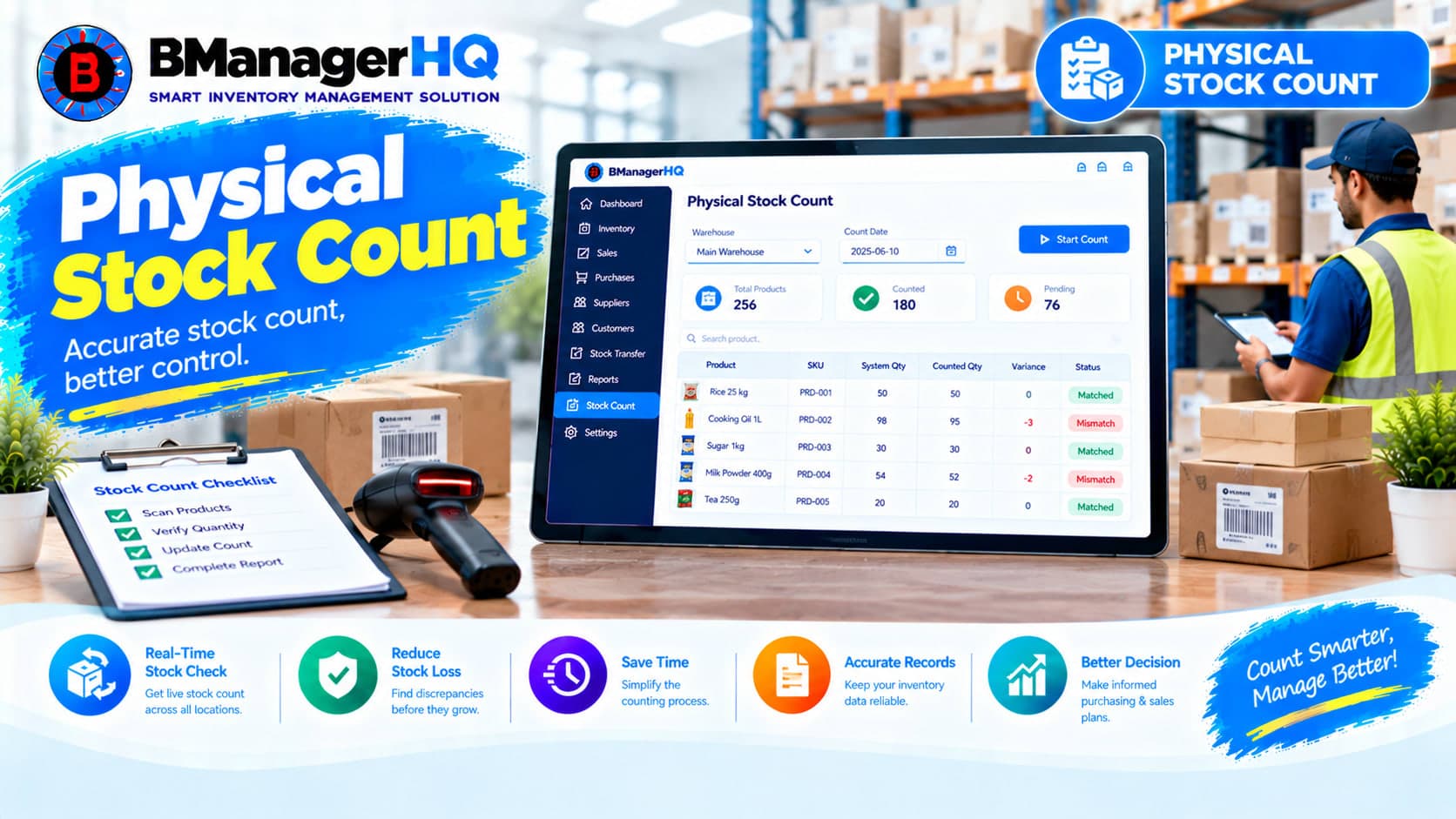
Compare physical inventory with recorded stock quantities using BManagerHQ Physical Stock Count Software for accurate and organized inventory management.

Manage inventory across multiple warehouses, shops and branches with BManagerHQ. Track locations and organize stock across your business from one inventory system.