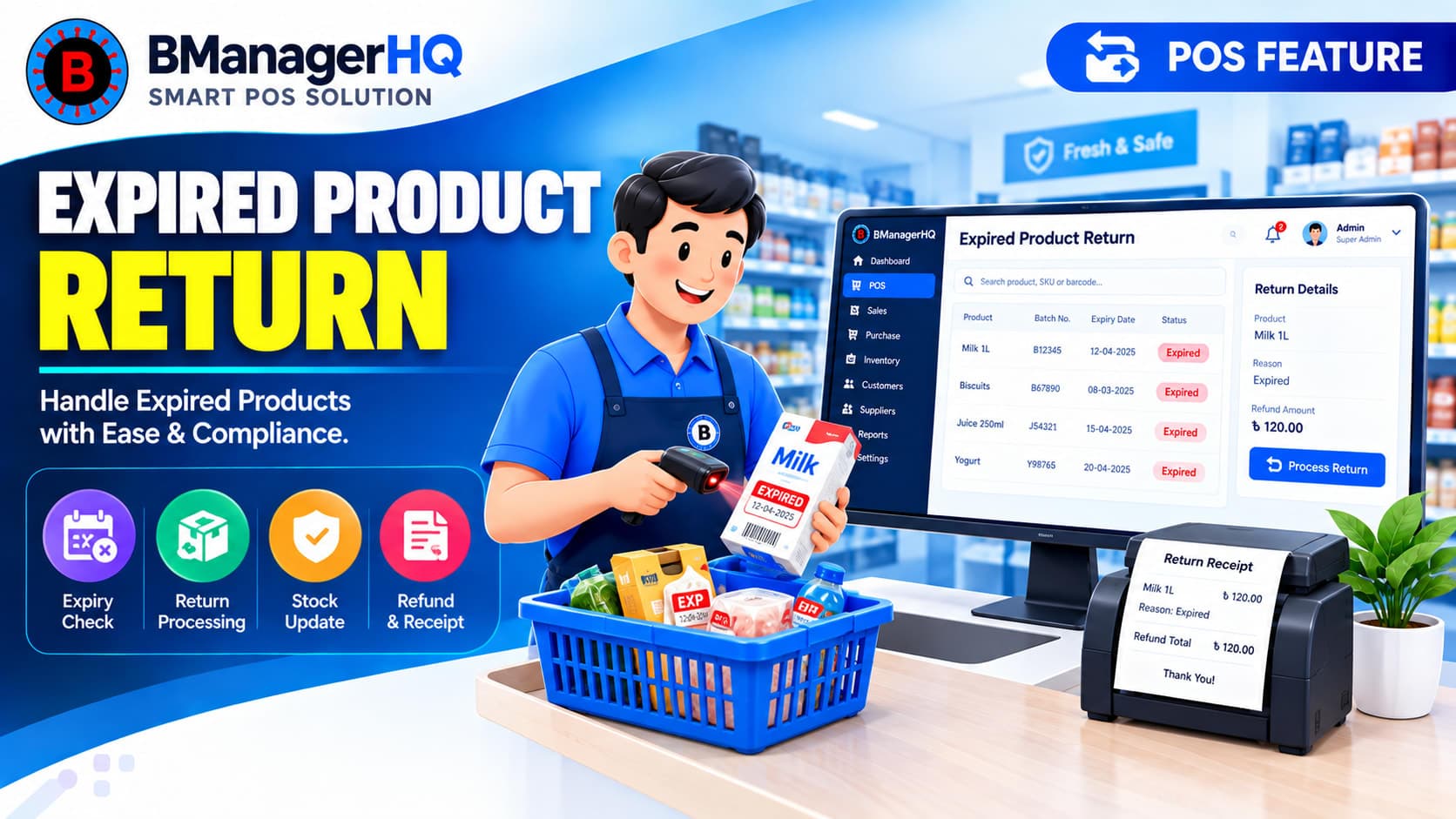
Businesses that sell expiry-sensitive products need an organized way to handle products that reach their expiry date. For businesses such as pharmacies, certain products may become expired while still remaining in inventory. In some cases, those products may need to be returned to the company or supplier and replaced with new products.
BManagerHQ supports an Expired Product Return & Replacement workflow as part of product and inventory management, helping businesses maintain better records when expired products need to be removed from available stock and handled through a supplier or company return process.
This is particularly relevant for businesses where expired products are a regular inventory-management concern.
What Is Expired Product Return & Replacement?
Expired Product Return & Replacement refers to the process of identifying expired products, removing them from normal saleable inventory, returning them to the relevant company or supplier, and recording the replacement products where applicable.
For example, a pharmacy may have products that reach their expiry date.
A typical business process could be:
Identify Expired Products → Remove From Saleable Stock → Return to Supplier/Company → Receive Replacement Products → Update Inventory
This creates a more structured approach than simply removing expired products from inventory without maintaining proper records.
Why Expired Product Management Matters
Expired products should not continue to be treated as normal saleable inventory. When a business has a large product catalog, manually checking every product can become increasingly difficult. This is particularly true for pharmacies and other businesses where many products have different expiry dates.
Organized expiry management can help businesses:
supplier product return software
expired stock management
inventory return management
pharmacy inventory software
POS inventory software
expired goods return
Identify expired inventory
Separate expired products from normal saleable stock
Maintain better inventory records
Track products returned to suppliers
Record replacement products
Reduce confusion around stock quantities
Expiry management therefore forms an important part of responsible inventory operations.
Expired Products in Pharmacy Businesses
Pharmacies are one of the clearest examples of businesses that can benefit from an organized expired-product workflow. A pharmacy may carry a large number of products with different expiry dates. Some products may expire before they are sold. Depending on the supplier or company's return policy, expired products may be returned and replaced with new stock.
Example
A pharmacy purchases several products from a supplier. After some time, a number of units reach their expiry date. Instead of treating these products as ordinary available stock, the pharmacy can:
Identify the expired products.
Record the expired quantity.
Remove the expired quantity from saleable inventory.
Return the products to the relevant supplier or company.
Receive replacement products according to the applicable return arrangement.
Update the inventory with the replacement stock.
This provides a clearer record of what happened to the original inventory.
Return Expired Products to Suppliers or Companies
Different suppliers may have different policies regarding expired products. A business may therefore need to maintain records showing which products were returned and which supplier or company was involved.
For example, an expired product return may involve:
Product
Quantity
Supplier or company
Return information
Replacement quantity
Relevant transaction records
Maintaining these records can make supplier-related inventory management more organized.
Replacement With New Products
One of the important aspects of expired-product management is that a returned product may be replaced with new stock.
For example:
10 expired units returned → 10 new units received
The replacement does not simply represent a new purchase. It can be part of the business's expired-product return arrangement with the supplier or company. Keeping the return and replacement process organized helps businesses maintain more accurate inventory records.
Keep Expired Stock Separate From Available Stock
Expired products should be distinguishable from products that are available for sale. This is especially important when a business has a large inventory.
For example, if a pharmacy has:
100 units originally received
15 units expired
85 units remaining as usable stock
the business needs to distinguish the expired quantity from the remaining inventory. A structured expired-product process helps prevent expired stock from being treated as ordinary available inventory.
Connect Expired Product Returns With Inventory Management
Expired-product returns are closely connected with inventory management. When expired stock is returned, the inventory records need to reflect what happened to that stock.
This allows expired-product handling to become part of the overall inventory lifecycle. Businesses can also combine this with Warranty & Expiry Tracking to maintain better visibility of expiry-related product information.
Expired Product Return in Multi-Location Businesses
Businesses operating multiple shops, branches, or warehouses may also need to manage expired products across different locations.
For example, a business could have:
Central warehouse
Branch A
Branch B
Branch C
An expired product may exist at one particular branch while the supplier relationship is managed centrally. A structured inventory system can help businesses maintain better visibility of product quantities and locations while handling expired inventory.
BManagerHQ brings product, inventory, purchasing, supplier, sales, and business-management processes into one platform. For businesses dealing with expiry-sensitive products, this can provide a more organized way to manage expired stock and related supplier returns.
Instead of treating expired products as an isolated issue, businesses can incorporate expiry management into their wider inventory workflow.
Manage Expired Products With a Structured Workflow
Expired inventory can create unnecessary operational challenges when it is handled through disconnected records and manual processes. BManagerHQ helps businesses organize expiry tracking, expired product returns, supplier management, inventory updates, and replacement stock within a broader business management workflow.
For pharmacies and other expiry-sensitive businesses, this can make expired-product handling more structured and easier to manage.
Manage Expired Product Returns and Replacements
Handle expired products with a clear process for returns, replacements, adjustments, and inventory updates. With BManagerHQ Expired Product Return and Replacement Management, you can record product movements, maintain accurate stock records, and manage supplier or internal replacement workflows more efficiently.
It is the process of identifying expired products, removing them from saleable inventory, returning them to the applicable supplier or company, and recording replacement products where applicable.
Is this useful for pharmacies?
Yes. Pharmacies often manage products with expiry dates and may have supplier or company arrangements for returning expired products and receiving replacements.
Can expired products be returned to suppliers?
Where the supplier or company has an applicable return policy, businesses can maintain records of expired products returned through that process.
Can replacement products be recorded?
Yes. Replacement products received as part of an expired-product return process can be incorporated into the inventory workflow.
Does expired product management work with inventory?
Yes. Expired-product handling is closely connected with inventory management because returned quantities need to be reflected in stock records.
Can multi-branch businesses manage expired products?
Yes. Businesses operating multiple locations can incorporate expired-product management into their broader multi-location inventory workflow.
Get low stock alerts with BManagerHQ POS software. Monitor product stock levels, identify products that need replenishment, and maintain better inventory control.