Managing products efficiently is one of the most important parts of running a POS system. A business may have hundreds or thousands of products, and many products can have multiple variants. Managing this information manually can make sales, purchasing, and inventory operations unnecessarily complicated.
BManagerHQ's Product & Variant Management helps businesses organize products and their variants within a centralized POS and inventory management system. Businesses can maintain product information and use the same product data across sales, purchasing, inventory, barcode management, and other business operations.
Whether you operate a retail store, pharmacy, electronics shop, grocery business, spare-parts business, wholesale operation, or multiple locations, organized product management can help keep everyday operations more efficient.
What Is Product & Variant Management?
Product management in a POS system involves creating, organizing, and maintaining the products a business purchases and sells.
However, many products are not available in only one form.
For example:
A clothing product may have different sizes and colors.
A mobile accessory may have different models or versions.
A product may be available in different packaging or quantities.
A particular product may have multiple sellable variants.
Instead of maintaining completely unrelated product records for every variation, product and variant management allows businesses to organize these variations under an appropriate product structure.
This makes the product catalog easier to manage while keeping product information connected with sales and inventory operations.
Centralize Your Product Catalog
product catalog management
variant management software
retail product management
POS inventory software
BManagerHQ provides a centralized environment for managing business products. Instead of maintaining product information separately for sales, inventory, and purchasing, businesses can use their product records throughout the system.
A well-organized product catalog can contain relevant information such as:
Product name
Product identification
Product variants
Pricing information
Stock information
Barcode-related information
Other product details required by the business
This creates a consistent product structure throughout the POS system.
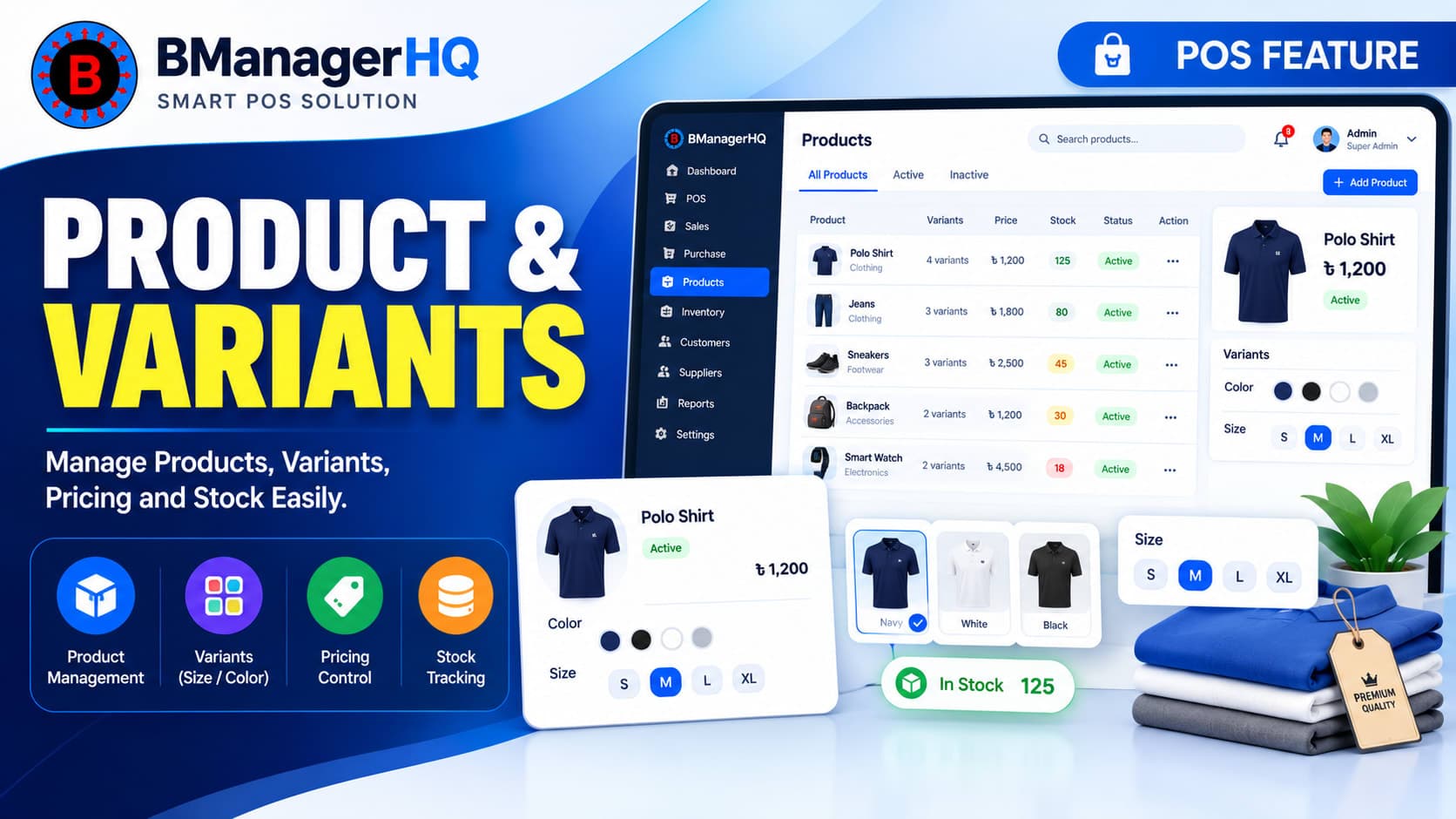
Manage Products With Variants
Products can have multiple variants, and each variant may need to be managed as a distinct sellable or stock item.
For example, a clothing business may sell:
T-Shirt
with variants such as:
Small / Black
Medium / Black
Large / Black
Small / White
Medium / White
Large / White
Instead of treating every combination as an unrelated product, variants can be organized under the relevant product. This can make product management easier and provide a clearer structure for businesses with large or variant-based catalogs.
Why Product Variants Matter in POS
Without proper variant management, businesses may have difficulty identifying exactly which version of a product was sold or which version is available in stock.
Consider a product with three sizes.
If all three sizes are treated as one generic product, it may be difficult to determine:
Which size was sold
Which size is available
Which variant needs replenishment
Which variant is associated with a transaction
Product variants allow businesses to maintain more detailed product information where required.
Product Management for Retail Businesses
Retail businesses often manage a large and changing product catalog.
Products may have different:
Sizes
Colors
Models
Types
Packages
Variations
BManagerHQ helps businesses maintain their products within the POS environment so employees can work with organized product information during sales and other operations.
This can be particularly useful for businesses where product variety is an important part of daily operations.
Connect Products With POS Sales
Product management is directly connected to the sales process. When cashier create a sale, they need to identify the correct product and, where applicable, the correct product variant. A centralized product catalog helps make this process more consistent.
Product information can be used during:
POS sales
Billing
Customer transactions
Inventory management
Barcode scanning
Purchasing
Reporting
This means product management is not an isolated feature. It provides the product foundation for multiple areas of the business management system.
Connect Products With Inventory
Product records are also closely connected with inventory management. When products are purchased, sold, transferred, or otherwise affected by inventory operations, accurate product identification is important for maintaining stock information.
With BManagerHQ, product management works alongside inventory functionality to provide businesses with a more organized approach to stock management. For businesses using Bin-Level Inventory Management, product information can also be used as part of the more detailed stock-management workflow.
Manage Product Variants Alongside Inventory
Variant management becomes particularly useful when different variants need to be distinguished within inventory.
For example, a business may have:
Product: Men's Polo Shirt
Variants:
Black / M
Black / L
Black / XL
White / M
White / L
White / XL
Each variant can represent a different inventory item that the business needs to identify during purchasing and sales. This helps businesses avoid treating different product variants as one generic stock item.
Product Management and Barcode Scanning
Product management can also work together with Barcode Management. Barcodes can help employees identify products quickly during POS transactions.
When products are properly organized, barcode-related operations become easier to maintain because the barcode can be associated with the appropriate product or variant.
Weighted Barcode Product Setup
For products sold by weight, the five-digit PLU encoded in the barcode must match the product SKU in BManagerHQ. Weighted products should use Kilograms as the product unit, have a selling price per kilogram, and maintain stock in grams.
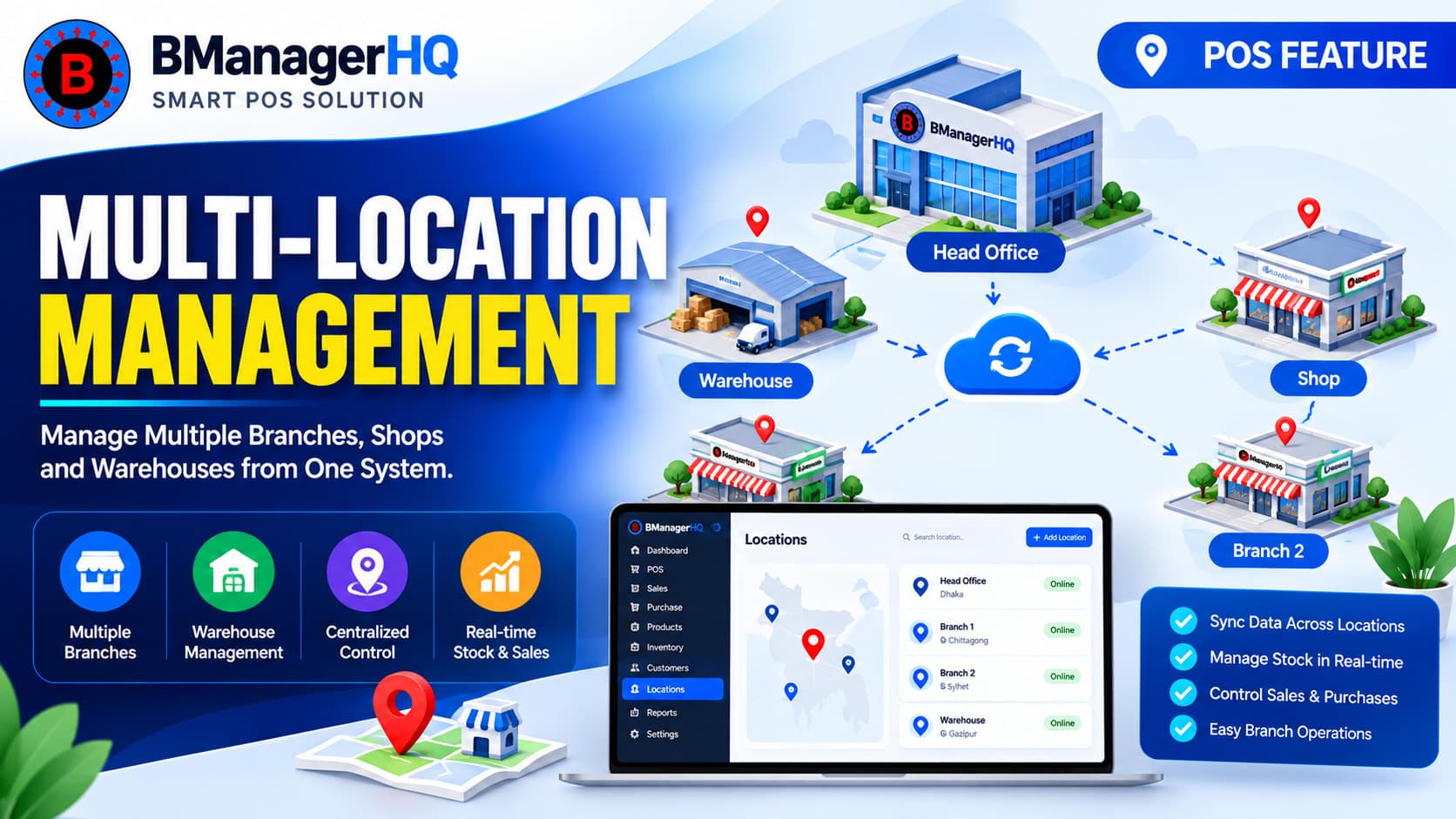
Businesses operating multiple warehouses, shops, or branches need consistent product information across their locations.
For example, a business may maintain:
Central warehouse
Main shop
Branch 1
Branch 2
Branch 3
The same product catalog may be used throughout these locations while stock availability can differ by location. This makes centralized product management particularly useful for growing businesses.
Product management can work together with Multi-Location Management and Stock Transfer Between Locations to support broader inventory operations.
Product Management and Purchasing
Products are not only used when selling to customers. They are also used when purchasing inventory from suppliers. When a business purchases products, the product records provide the foundation for identifying what has been purchased and adding the relevant stock to inventory.
This creates a connected workflow:
Supplier → Purchase → Product → Inventory → Sale
Maintaining consistent product information throughout this workflow can help businesses reduce confusion and improve operational organization.
Product Management and Stock Replenishment
Product information also plays an important role when businesses monitor stock levels. When products approach their defined low-stock levels, businesses need to know exactly which products require replenishment.
BManagerHQ's Low Stock Alerts work alongside inventory and product management to help businesses identify products that require attention.
This can help businesses make more informed purchasing decisions.
Product Variant Management for Different Types of Businesses
Product and variant management can be useful across many industries.
Clothing Stores
Manage products with variations such as size and color.
Electronics Stores
Maintain products and different models or versions.
Mobile Accessories Businesses
Organize products with different compatible models, types, or variants.
Grocery Stores
Manage a large catalog of everyday products.
Pharmacies
Maintain product records and connect them with inventory and sales.
Spare Parts Businesses
Manage large product catalogs where accurate product identification is important.
Wholesale Businesses
Organize large product catalogs and use product records throughout purchasing, inventory, and sales.
Benefits of Product & Variant Management
Organized Product Catalog
Maintain product information in one centralized system.
Better Variant Organization
Manage products with multiple variants without unnecessarily creating disconnected product structures.
Faster Product Identification
Make it easier for employees to find the appropriate product during sales.
Better Inventory Management
Keep product information connected with inventory operations.
Support Barcode Operations
Use product and variant information together with barcode scanning and generation.
Support Multi-Location Operations
Maintain a consistent product catalog across warehouses, shops, and branches.
Easier Purchasing
Use organized product records during purchase transactions.
Better Stock Visibility
Maintain clearer product information when reviewing inventory.
Example of Product & Variant Management
Consider a clothing business selling a Men's Polo Shirt.
The product has:
Product: Men's Polo Shirt
Color: Black, White
Size: M, L, XL
This creates several variants:
Variant
Color
Size
Variant 1
Black
M
Variant 2
Black
L
Variant 3
Black
XL
Variant 4
White
M
Variant 5
White
L
Variant 6
White
XL
When a customer purchases the Black / L version, the business can identify the appropriate variant instead of simply recording a generic “Men's Polo Shirt” sale.
This level of organization becomes increasingly useful when a business has a large number of products and variants.
Product Management Workflow
A typical product workflow can be understood as:
1. Create the Product
Add the product to the POS product catalog.
↓
2. Add Product Variants
If the product has multiple variants, organize the relevant variations.
↓
3. Manage Product Information
Maintain the information required for purchasing, sales, inventory, and other operations.
↓
4. Purchase Products
Use the product records when receiving inventory from suppliers.
↓
5. Maintain Inventory
Track the products within the inventory system.
↓
6. Sell Through POS
Select the appropriate product or variant during the sales process.
↓
7. Track Stock
Inventory information changes according to business transactions.
This creates a connected product lifecycle from purchasing to inventory and sales.
Why Choose BManagerHQ for Product Management?
A product catalog should be more than a list of names. It should provide a structured foundation for the business's sales and inventory operations. BManagerHQ connects Product & Variant Management with other important POS capabilities, allowing businesses to work with product information throughout their daily operations.
Instead of maintaining separate product records for different parts of the business, businesses can use a centralized product structure across their POS and inventory workflows.
Product & Variant Management Works With Other POS Features
Inventory Management
Product records provide the foundation for managing stock.
BManagerHQ Product & Variant Management provides a centralized approach to managing:
Product records
Product variants
Product information
Product pricing
Product stock information
Product identification
Product sales
Product purchasing
Barcode-related product information
Multi-location product operations
Manage Your Products and Variants From One POS System
Managing products becomes increasingly difficult as your product catalog grows. Product variants, inventory, purchasing, sales, barcodes, and multiple locations can make product organization even more important.
BManagerHQ Product & Variant Management provides a centralized way to organize products and their variations while connecting product information with POS sales, purchasing, inventory, barcode management, and multi-location operations. Whether you manage a retail store, clothing business, pharmacy, electronics shop, grocery store, spare-parts business, wholesale operation, or multiple branches, organized product management can provide a stronger foundation for everyday business operations.
Explore BManagerHQ Point of Sale (POS) Software to see how Product & Variant Management works together with inventory, purchasing, sales, customers, suppliers, cashier operations, and other POS features.
Product & Variant Management for POS Software FAQs
What is product management in POS software?
Product management allows businesses to create, organize, and maintain the products used throughout their sales, purchasing, and inventory operations.
What is product variant management?
Product variant management allows businesses to organize different versions of a product, such as different sizes, colors, models, or other variations.
Why are product variants important for a POS?
Variants help businesses distinguish between different versions of the same product when selling and managing inventory.
Can product variants be used with inventory management?
Yes. Product variants can be part of inventory management when different variants need to be identified separately.
Can product management work with barcode scanning?
Yes. Product information can work together with barcode functionality to help identify products during POS operations.
Is product management useful for clothing businesses?
Yes. Clothing businesses often have products with multiple sizes and colors, making product variant management particularly useful.
Is product management useful for multi-branch businesses?
Yes. A centralized product catalog can help businesses maintain consistent product information across multiple warehouses, shops, and branches.
Transfer stock between warehouses, shops, and branches with BManagerHQ. Manage inter-location inventory movement and maintain organized stock records across your business.