Stock Transfer Between Warehouses, Shops & Branches | BManagerHQ
POSfeatures
Stock Transfer Between Warehouses, Shops & Branches
Content type
Features
Topic
POS
Published
05/10/2026
Keywords
Stock Transfer Between Locationsstock transfer softwareinventory transfer between brancheswarehouse stock transferstock transfer between shops
Businesses operating multiple warehouses, shops, or branches often need to move products from one location to another. A branch may run low on a particular product while another location has sufficient stock. A warehouse may need to distribute products to several shops. Without an organized transfer process, businesses can find it difficult to maintain accurate inventory records across locations.
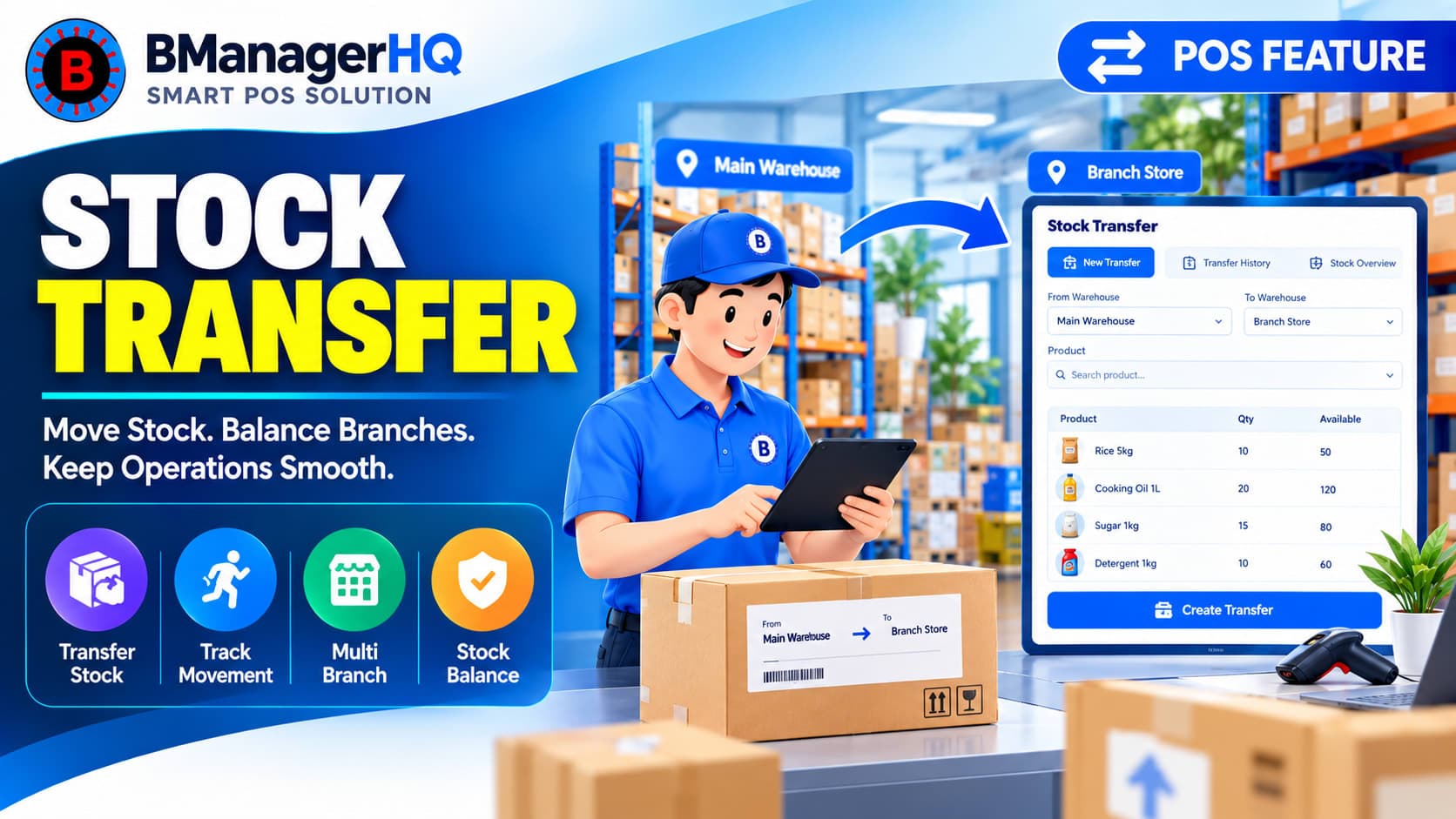
BManagerHQ provides Stock Transfer Between Locations to help businesses manage the movement of inventory between their warehouses, shops, and branches while maintaining a more organized view of stock across the business.
What Is Stock Transfer Between Locations?
Stock transfer is the process of moving inventory from one business location to another.
For example:
Warehouse → Branch A
or:
Branch A → Branch B
Instead of treating the movement as a normal purchase or sale, businesses can record it as an internal stock transfer. This is particularly useful for businesses that operate multiple locations and regularly redistribute inventory according to demand.
Transfer Stock From One Location to Another
A business may have different stock requirements at different locations.
For example:
Central Warehouse has 100 units
Branch A has 10 units
Branch B has 5 units
If Branch B requires additional stock, the business can transfer products from the warehouse or another appropriate location.
A typical transfer can involve:
Selecting the source location
multi-branch inventory management
inventory transfer software
branch stock management
warehouse inventory transfer
inter-branch stock transfer
POS inventory software
Selecting the destination location
Selecting the products
Specifying the quantities
Recording the stock movement
Updating the relevant inventory records
This provides a clearer record of where inventory has moved.
Warehouse-to-Branch Stock Transfer
One of the most common use cases is transferring stock from a central warehouse to retail branches. For example, a business may purchase products centrally and distribute them to several shops.
The workflow can look like:
Supplier → Central Warehouse → Branch A / Branch B / Branch C
When products are transferred to a branch, the inventory movement can be recorded as a stock transfer. This gives the business better visibility into how inventory is distributed across its locations.
Transfer Stock Between Shops or Branches
Stock transfers are not limited to warehouses. Businesses may also need to move products directly between shops or branches.
Example
Branch A has excess stock of a particular product, while Branch B is experiencing higher demand.Instead of purchasing additional stock immediately, the business may transfer some available inventory from Branch A to Branch B.
This can help businesses redistribute existing inventory according to operational requirements.
Maintain Location-Based Inventory
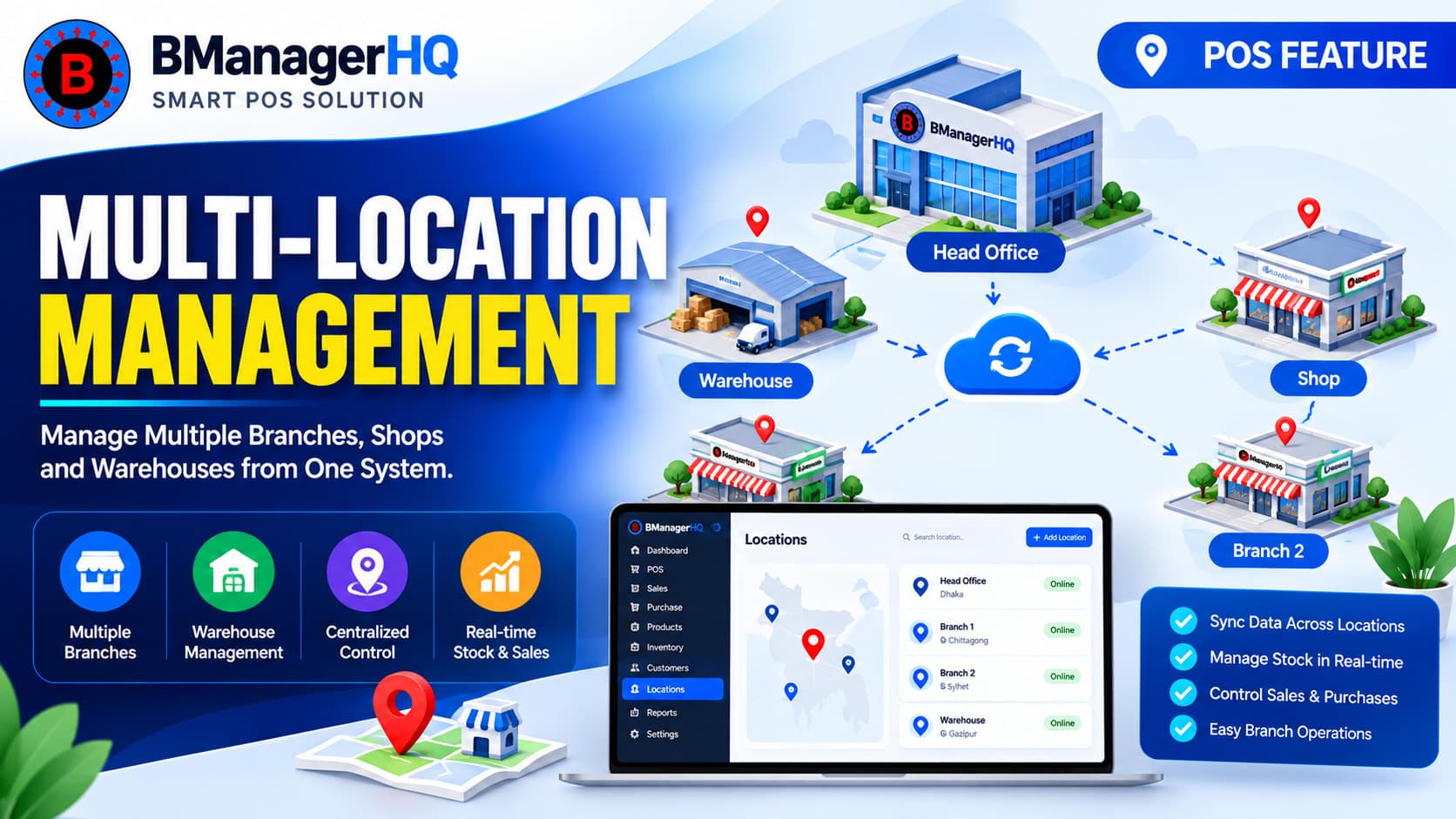
Stock transfer is closely connected with Multi-Location Management. When inventory moves between locations, the business needs to know:
Where the stock came from
Where the stock went
Which products were transferred
How much was transferred
How the transfer affected each location's inventory
By maintaining location-based stock records, businesses can develop a clearer understanding of their inventory distribution.
Suppose the Sylhet branch requires another 30 units.
The business can transfer:
Central Warehouse → Sylhet Branch: 30 units
The transfer updates the inventory position of the relevant locations. The warehouse's available quantity decreases, while the destination branch's stock increases.
This provides a clearer picture of the inventory distribution after the transfer.
Transfer Different Products in One Operation
Businesses may need to transfer more than one product at a time.
For example, a warehouse may send a branch:
20 units of Product A
15 units of Product B
10 units of Product C
5 units of Product D
Managing these products as part of a structured transfer process can be more efficient than maintaining separate manual records for every movement. This is especially useful when branches are regularly replenished from a central warehouse.
Product Variants and Stock Transfers
Businesses selling products with multiple variants may also need to transfer specific variants between locations.
For example, a clothing business may maintain:
T-Shirt
Black — Small
Black — Medium
Black — Large
White — Small
White — Medium
White — Large
A branch may require only the Black / Medium variant. The business can manage the relevant product variant as part of its inventory transfer workflow.
As a business expands from one shop to multiple locations, inventory movement becomes more important. A single-location business may only need one stock record.
A growing business may have:
Warehouse → Multiple Shops → Multiple Branches
At that point, manually tracking inventory movement can become increasingly difficult. A structured stock-transfer process can help businesses maintain clearer records as the number of locations increases.
Stock Transfer and Bin-Level Inventory
Warehouse businesses may organize inventory using specific bins or storage locations. When stock is transferred from one location to another, the business may also need to maintain appropriate storage information at the destination. Combining stock transfers with Bin-Level Inventory Management can help warehouses maintain better organization of physical inventory.
For example:
Warehouse A → Bin B-04 → Branch A
The business can use its broader inventory structure to organize where products are stored and how they move between locations.
Stock transfers can also help businesses respond to differences in inventory levels between locations. For example, one branch may have excess inventory while another branch has low stock.
Instead of immediately purchasing additional stock, the business may first review inventory available at other locations. This makes stock transfer particularly useful alongside Low Stock Alerts and location-based inventory management.
Inventory does not always remain in the location where it was originally received. As businesses grow, products may move between warehouses, shops, and branches based on customer demand, stock availability, and operational requirements. Without proper transfer records, businesses can lose visibility into where inventory has moved.
A structured stock-transfer workflow helps businesses maintain a clearer connection between inventory quantities and physical business locations.
Manage Inventory Across Your Business Locations
When a business operates multiple warehouses, shops, or branches, inventory needs to move where it is needed. BManagerHQ helps businesses organize stock transfers, multi-location inventory, product management, warehouse operations, and branch stock management within a connected business-management workflow.
Whether you are moving products from a central warehouse to a branch or redistributing inventory between shops, a structured transfer process can help maintain better inventory visibility.
Transfer Stock Between Locations with Confidence
Move inventory between warehouses, shops, and branches while keeping stock records accurate and up to date. With BManagerHQ Stock Transfer Management, you can create transfer requests, track movement status, and maintain better visibility across every business location.
Stock Transfer Between Warehouses, Shops & Branches pos feature FAQS
What is stock transfer between locations?
Stock transfer is the internal movement of products from one warehouse, shop, or branch to another location within the same business.
Can I transfer stock from a warehouse to a branch?
Yes. Warehouse-to-branch transfers are a common use case for multi-location inventory management.
Can stock be transferred between two branches?
Yes. Businesses may transfer available inventory from one branch to another when required.
Can multiple products be transferred together?
A stock transfer can be used to manage the movement of multiple products as part of an internal inventory operation.
Is stock transfer the same as a purchase?
No. A purchase represents inventory acquired from a supplier, while a stock transfer represents internal movement between business locations.
Can stock transfer work with multi-location inventory?
Yes. Stock transfer is directly connected with multi-location inventory management and helps businesses manage inventory movement between locations.
Manage expired product returns and replacements with BManagerHQ. Track expired inventory returned to suppliers or companies and maintain organized replacement records.